QR Menus That Actually Work: A Better Guest Experience
A practical guide to using QR codes as a simple bridge between the table, the menu and the restaurant.
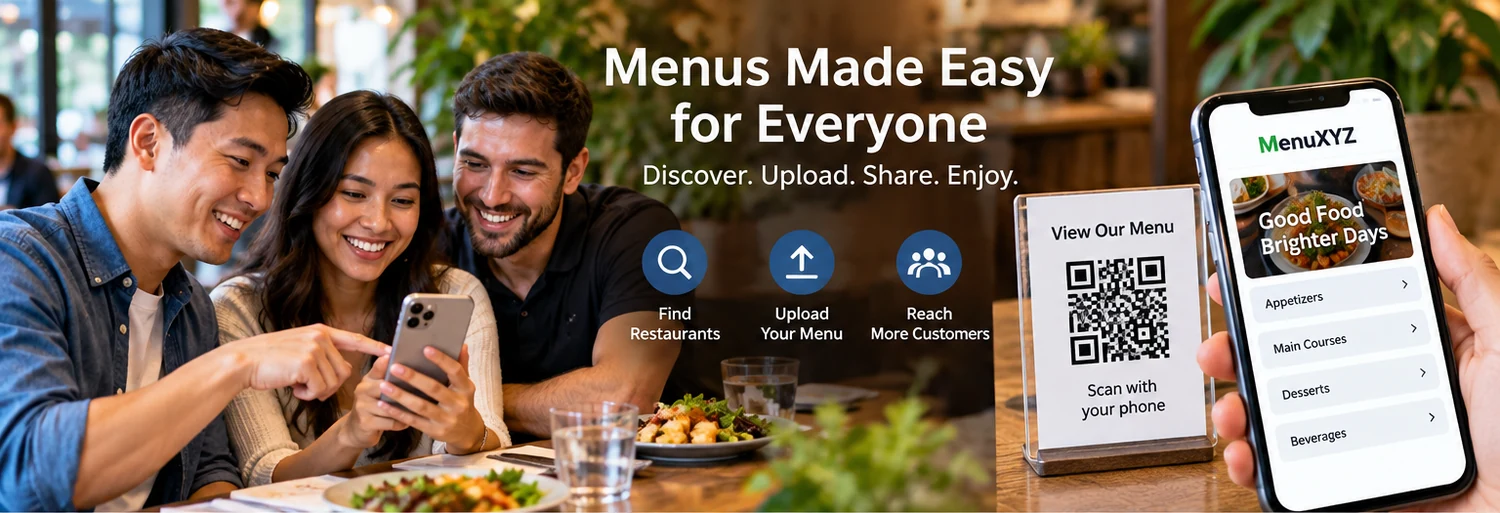
QR codes are a doorway, not a destination
QR menus became common because they solve a simple problem: customers want a quick way to open the current menu on their phones. The QR code itself is only the doorway. The real experience is the page that opens after the scan.
A successful QR menu should load quickly, be easy to read, provide clear categories and make it obvious what the customer can do next. The restaurant should be able to update the destination without redesigning every printed sign. MenuXYZ can serve as one possible destination for menu discovery, while restaurants can also connect customers to their own official website or other services.
Use a stable destination
One of the biggest operational mistakes is printing a QR code that points directly to a temporary file or page. If the file moves, the printed code can become useless. A better setup uses a stable URL that the restaurant controls or can maintain. The page at that URL can be updated when the menu changes.
Stable destinations also make marketing easier. A restaurant can use the same menu address on table cards, window signage, social profiles and printed promotions. Customers learn that the same link leads to the current menu.
Design for scanning behavior
People scanning a QR code are often standing, sitting at a table or using one hand. The page should not require tiny controls or complicated navigation. Large tap targets, readable text, simple categories and a visible back or home path help.
Do not assume every customer has a perfect connection. Keep pages lightweight and avoid unnecessary autoplay video or oversized images. If photos are included, compress them. If there is a PDF option, make it optional rather than the only path.
Make the menu readable
QR menus work best when the customer can scan the page quickly. Use a consistent hierarchy: category, item name, short description and price. If modifiers or special instructions matter, present them clearly. Avoid putting essential information inside an image where it cannot be resized or read by assistive technology.
Restaurants should also review contrast, font size and spacing. Accessibility is not just a legal topic; it is part of good customer experience. The U.S. Department of Justice's ADA guidance explains that inaccessible web content can prevent people with disabilities from accessing information and services, and it recommends practices such as clear headings, keyboard access, text alternatives for images and sufficient contrast.
Connect QR menus to the restaurant website
A QR menu should not isolate the customer from the rest of the business. The page can provide links to hours, location, phone, reservations, ordering, catering or the official website. The restaurant can decide which actions matter most.
When a link leads to a third-party service, label it clearly. A customer should know whether they are staying on the restaurant's website or being sent to another provider. Third parties can have different fees, terms, privacy policies and availability.
Keep the menu current
QR signage creates an expectation that the digital menu is current. Restaurants should therefore establish a review routine. A weekly, monthly or seasonal review can check prices, specials, sold-out items, hours, holiday closures and ordering links.
When a major change occurs, test the QR code from the actual printed sign. Check the page on both iPhone and Android if possible. Confirm that the page loads over a normal cellular connection and that all important buttons work.
Think about privacy
A basic menu page does not need to collect personal information from every visitor. If a restaurant adds analytics, advertising, reservation forms, email marketing or other tracking technologies, the business should understand what information is collected and why. Depending on the audience and jurisdiction, privacy laws may apply.
For users in the European Economic Area or United Kingdom, additional data-protection and cookie requirements can apply. The GDPR emphasizes transparency, purpose limitation, data minimization, storage limitation and appropriate security. UK rules under PECR can apply to cookies and similar technologies, including a general requirement for information and consent where the law requires it.
QR menus and local search
QR codes are primarily an access tool, not an SEO trick. Search visibility comes from useful, crawlable content and accurate business information. A restaurant can improve the value of its digital menu by having a proper webpage with descriptive headings and content rather than relying only on a scanned PDF.
Location-specific information can also help customers: neighborhood, city, hours, cuisine, parking notes and contact information should be accurate. Restaurants should keep their official business profiles current as well.
When a QR menu is not enough
A QR menu is excellent for menu access, but a restaurant may also need a complete website. A full site can tell the brand story, show photos, explain catering, publish events, collect inquiries, promote gift cards and connect to online ordering. MenuXYZ now includes a dedicated Website & Digital Services page for restaurants that need help beyond the menu.
A practical QR checklist
- Use a stable menu URL.
- Place the code where customers can see and scan it easily.
- Test the code from the actual printed material.
- Make the destination mobile-friendly.
- Keep menu categories readable.
- Keep prices and availability current.
- Use accessible headings, labels and text alternatives.
- Clearly label third-party ordering or payment links.
- Review privacy and cookie practices if tracking is used.
- Keep a backup of the current menu.
A good QR menu is simple enough that customers barely notice the technology. They scan, the menu opens, the information is clear, and the next step is obvious. That is the experience MenuXYZ is built to support.
Place QR codes where they make sense
A QR code works best when the customer has a reason to scan it. Table tents, counter signs, takeout packaging, window signage and event materials can all be useful. The code should be large enough to scan, surrounded by enough space to separate it from other graphics, and paired with a short instruction such as “Scan to view today's menu.”
Do not assume customers know what a QR code will do. A short label gives context and increases confidence. If the code opens the menu, say so. If it opens an ordering page, say that instead.
Use QR codes for more than menus carefully
A restaurant might use QR codes for a menu, feedback form, loyalty program, event page or catering brochure. Using separate codes can be useful when the destinations have different purposes. The restaurant should avoid creating a wall of codes that forces customers to guess which one they need.
Protect against link drift
Link drift happens when a QR code continues to point to an address that no longer provides the intended information. This can happen when a page is renamed, a PDF is moved or a third-party service changes its URL. Stable URLs reduce this risk. A redirect can also help when the website structure changes.
Restaurants should keep a simple inventory of printed QR codes and the destination for each. Before reprinting, confirm that every code still works. After a website migration, test the printed codes again.
Consider users without smartphones
A QR menu should not be the only way to obtain essential information. Some guests may not have a smartphone, may have a device problem or may prefer a printed menu. Restaurants can offer a reasonable alternative where appropriate. Accessibility and customer service are stronger when technology provides an option rather than a barrier.
QR codes and privacy
A simple link to a menu does not necessarily require personal data. If the destination adds analytics, tracking parameters, advertising or a form, the privacy analysis changes. Businesses should know whether the QR destination creates cookies or similar technologies and whether third-party providers receive information.
For international audiences, the rules can be more demanding. The UK ICO explains that PECR can apply to cookies and other technologies that store or access information on a user's device, and the GDPR can apply when personal data is processed. The practical lesson is simple: know what the destination does before putting it on a table card.
Make QR destinations accessible
Once a QR code opens a page, the page should follow accessibility principles. Use readable text, logical headings, clear link labels, sufficient contrast and forms with proper labels. If the menu is an image, provide text alternatives or an HTML version when appropriate.
Test the entire customer journey
Do not stop after checking that the code scans. Follow the entire journey. Does the menu load? Can the customer find categories? Can they see prices? Can they reach the restaurant's ordering page? Does the phone link work? Is the map correct? If the customer is sent to a third party, is that clear?
Testing from different devices and networks catches problems that a single desktop test can miss. Restaurants can ask a few staff members to perform a quick monthly scan as part of normal opening procedures.
Keep QR signage attractive
A QR code does not have to look like an afterthought. It can be incorporated into a restaurant's visual identity while preserving enough contrast and quiet space for reliable scanning. The surrounding message should remain short and useful. Good design makes the technology feel like part of the restaurant rather than a technical interruption.
Use the code as a bridge to loyalty
Once customers trust a restaurant's QR menu, the same digital path can lead to additional information such as catering, events or loyalty. However, marketing requests should be separate from essential menu access when consent is required. A customer should not have to accept promotional tracking simply to read a menu.
Plan for outages
Every online service can experience an outage. Restaurants can reduce the impact by keeping a current printable menu available and maintaining an alternate contact method. If the MenuXYZ page is unavailable, the restaurant's own website or another stable menu location may serve as a backup, provided the links and content remain current.
Choose a QR destination customers can trust
The destination should look consistent with the restaurant brand and make it clear why the customer has arrived there. A QR code that opens an unrelated page, an expired promotion or a generic home page forces the customer to search again. A dedicated menu destination reduces that friction.
Use readable QR instructions
Printed instructions should be short. “Scan to view menu” is generally clearer than a paragraph about how QR technology works. If the restaurant expects customers to use the code for ordering, identify that purpose so there is no surprise when a third-party ordering page opens.
Review the experience after provider changes
Restaurants often change ordering or reservation providers. When that happens, the QR destination may need to be updated. Before a new provider goes live, test the complete journey and confirm that privacy notices, terms, prices and customer-support information are visible where required.
Consider multilingual customers
In diverse communities, restaurants may serve customers who prefer different languages. A menu can offer language choices when the business can maintain them accurately. Machine translation can be helpful as a starting point but should be reviewed for important food and safety information.
Keep printed materials current
QR signage can remain in use for months or years. Add a simple review date to the restaurant's internal checklist. If a printed code points to a stable URL, the restaurant can often update the destination without reprinting the code itself.
Measure the right things
If analytics are used, restaurants can look at menu visits, ordering clicks or other useful actions. Avoid measuring everything simply because a tool provides dozens of metrics. A small business benefits from a few understandable measurements that connect to actual decisions.