Digital Menus Made Simple: Why Your Restaurant Needs More Than a PDF
A practical guide to building a menu experience that is easy to read, easy to update and useful on phones.
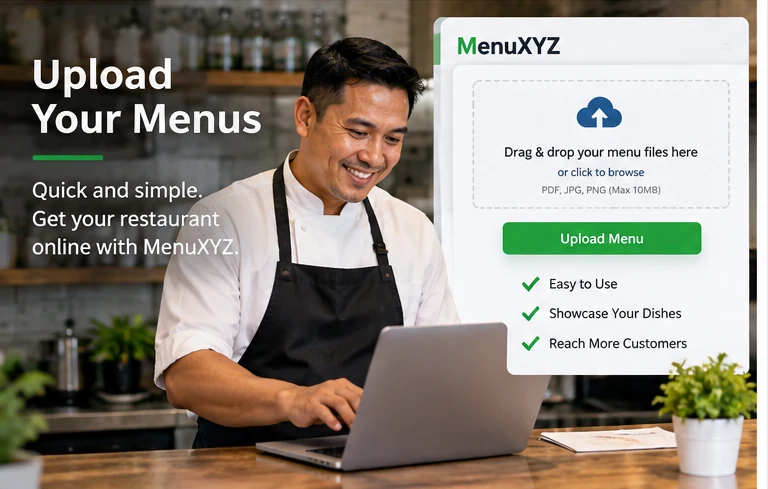
A digital menu is part of the customer experience
A restaurant menu used to be something a guest picked up at the table. Today, the menu may be the first thing a customer sees before deciding whether to visit. A diner may discover a restaurant from search, social media, a map listing, a QR code, a recommendation or a friend. Before they call or walk through the door, they often want to know what is served, what it costs, whether the restaurant fits their dietary needs and how to take the next step.
That is why a digital menu should be treated as part of the restaurant's customer experience rather than as a simple file attached to a webpage. MenuXYZ is designed around the basic job of making menu information easier to discover and share. A restaurant can provide menu information while customers can browse it from a phone or other connected device.
Why a PDF alone can be limiting
PDF menus can be useful because they preserve a designed document and can be easy for a restaurant to produce. The challenge is that a PDF is not always the easiest experience on a small screen. Customers may have to zoom, scroll horizontally, download a file or wait for a large document to load. If the menu changes, the restaurant also has to remember to replace the old version everywhere it appears.
A better approach is often to keep the menu content available in a mobile-friendly webpage while optionally providing a downloadable version. Structured webpage content can be easier to read, link, search and update. It can also support better navigation when a menu has many categories.
Start with accurate information
The most attractive menu is still a problem if the information is wrong. Restaurant owners should review item names, descriptions, prices, sizes, modifiers, availability, hours and ordering instructions. If an item is seasonal, mark it as seasonal. If a price varies, explain that clearly. If a customer needs to ask the restaurant about an ingredient, say so.
Allergen and dietary information deserves particular care. Restaurants should use accurate internal information and appropriate staff processes. MenuXYZ should not be treated as a substitute for the restaurant's own food-safety procedures or direct confirmation when a guest has a serious allergy or other medical concern.
Make categories easy to scan
Customers usually scan before they read. Clear categories help them move quickly. Common structures include appetizers, soups and salads, entrees, sandwiches, sides, desserts and beverages, but the best categories depend on the restaurant. A bakery might organize by breads, pastries, cakes and drinks. A sushi restaurant might use rolls, sashimi, nigiri, combination plates and beverages.
Within each category, keep item names visually distinct from descriptions. A short description can communicate the essential ingredients without becoming a paragraph. When customers can scan the page, they are less likely to become frustrated and leave.
Design for the phone first
A large share of restaurant discovery happens on mobile devices. A menu should therefore work with touch controls, readable type and adequate spacing. Buttons should be easy to tap. Links should not be packed so tightly that customers accidentally choose the wrong one. Images should be optimized so that a menu does not become unnecessarily slow.
Mobile design also means thinking about the entire journey. A guest might arrive on a menu page and want to call the restaurant, get directions, visit the official ordering site or view another category. Those actions should be easy to find without forcing the user through multiple unrelated pages.
Use photos strategically
Food photography can make a menu more inviting, but more images are not always better. Large image files can slow down a page, and decorative images should not distract from essential information. A restaurant can choose a small number of strong images for featured dishes, seasonal specials or signature items.
When images carry useful information, descriptive alternative text can help people who use screen readers. Accessibility is also about headings, keyboard navigation, contrast, labels and the overall structure of the page. The U.S. Department of Justice has emphasized that businesses open to the public should consider web accessibility under the ADA, and WCAG provides useful technical guidance.
Keep the official restaurant channel clear
MenuXYZ can help customers discover menu information, but it should not create confusion about who actually operates the restaurant. Restaurant owners should maintain their official website, phone number, ordering channel and business listings. If an ordering button sends a customer to a third-party service, the page should make that relationship clear.
Third-party services may change their prices, hours, privacy practices, technology or availability. MenuXYZ does not have legal control over independent third-party websites and cannot guarantee their operation. A good digital menu experience acknowledges that boundary rather than hiding it.
Update menus as part of normal operations
A menu should have an owner and an update process. Restaurants can schedule a recurring review of prices, seasonal items, hours, holiday information and ordering links. When the menu changes, the restaurant should check the website, MenuXYZ listing, QR codes, social profiles and other customer-facing channels.
This is also where website maintenance can help. A restaurant website may need software updates, backups, link checks, security reviews and content updates. MenuXYZ's expanded website services page explains how web design, SEO, e-commerce connections and maintenance can fit around a digital menu.
Use QR codes as an access point, not the whole strategy
A QR code is useful when it gives customers a quick route to a current menu. It becomes less useful when it points to a broken page, an outdated PDF or a page that is difficult to use on a phone. The code should lead to a stable address that the restaurant can maintain over time.
Printed signs, table cards and window decals can all point to the same menu destination. If the destination changes, the restaurant should have a process for updating the printed materials or, where possible, use a stable URL that continues to work.
Connect the menu to discovery
A menu page can support broader search visibility when it is part of a well-organized website. Useful titles, descriptions, headings, location information and internal links help search engines understand the page. Local SEO also depends on accurate business information across the web. No service can honestly guarantee a particular search ranking, but clear content and sound technical practices are sensible foundations.
MenuXYZ's role
MenuXYZ focuses on making menus easier to upload, discover and share. The platform can be one part of a restaurant's digital presence. Restaurants can use the menu directory alongside their own website, social channels, maps, ordering providers and other services.
The larger opportunity is to build a simple customer journey. A customer discovers the restaurant, opens a readable menu, finds the information they need, and then knows exactly how to visit, call, order or learn more. When every step is clear, the menu becomes more than a document. It becomes a useful digital doorway to the restaurant.
A simple checklist
- Review prices and availability regularly.
- Use readable categories and descriptions.
- Test the menu on a phone.
- Compress large images.
- Use descriptive image alternative text when appropriate.
- Keep QR destinations stable.
- Check ordering and social links.
- Clearly identify independent third-party services.
- Keep official restaurant contact information current.
- Review accessibility and security as the website evolves.
MenuXYZ can help provide the menu layer. For restaurants that need a broader digital presence, our Website & Digital Services page explains additional options including website design, e-commerce connections, SEO, branding and maintenance.
Make the menu a dependable source
One useful way to manage a digital menu is to decide which location is the “source of truth.” If a restaurant has a printed menu, a PDF, a website, a social profile and a MenuXYZ listing, staff need a simple process for keeping those locations synchronized. Otherwise customers can encounter different prices or outdated specials depending on where they click.
A source-of-truth approach can be as simple as maintaining the current menu in one system and then updating the other customer-facing channels whenever a change is made. For restaurants with frequent changes, a spreadsheet or content checklist can help. The goal is operational consistency, not more software.
Consider menu accessibility from the beginning
Accessibility is easier to maintain when it is built into the content structure. Use real headings instead of making every heading part of an image. Keep links descriptive. Label forms. Make sure text remains readable when a visitor increases browser zoom. Ensure important controls can be reached using a keyboard.
For images, provide meaningful alternative text when the image conveys information. A decorative photo can use an empty alternative-text value so assistive technology can skip it. A photograph of a signature dish can have a short description when that description is useful. These practices help more than one audience: accessible structure can also improve readability and search-engine understanding.
Think about speed
A beautiful menu that takes too long to load can lose the customer. Optimize image dimensions, use modern formats, avoid unnecessary scripts and keep third-party embeds to a minimum. If analytics, chat widgets or advertising scripts are not essential, consider whether they are worth the performance and privacy tradeoffs.
Testing should happen on a normal mobile connection, not only on a fast office network. A customer may be standing outside the restaurant with a phone and limited signal. The first screen should load enough information to communicate that the page is working.
Use clear calls to action
After reading the menu, what should the customer do? The answer varies. Some restaurants want a phone call. Others want online ordering, reservations, directions, catering inquiries or simply a visit. A good page gives the customer a clear choice without overwhelming them with ten competing buttons.
MenuXYZ can provide the menu layer while a restaurant website can handle the broader journey. When those pages are connected, the customer should understand where they are and what will happen after a click.
Plan for seasonal changes
Seasonal menus are a natural fit for restaurants. The important part is to make the change process predictable. A restaurant can keep a calendar of seasonal start and end dates, prepare replacement content in advance and test the page before the new menu goes live.
Holiday hours deserve the same treatment. A restaurant may be open different hours during Thanksgiving, Christmas, New Year's Day or local events. Updating the website and menu while forgetting the business profile or social page can create confusion. A short checklist helps prevent this.
Use structured information when appropriate
A well-organized webpage gives both people and search systems useful context. Descriptive headings, location information and consistent navigation can help. Restaurants may also benefit from structured data where it is appropriate and accurately reflects the business. Structured data should never be used to create false claims or information that visitors cannot see.
Measure useful outcomes
Analytics can answer practical questions such as which menu pages are visited, whether customers reach the ordering page and which content receives attention. Analytics should be configured with privacy requirements in mind. Not every restaurant needs extensive tracking. A small business may get enough value from basic traffic information and customer feedback.
The most useful measurement is often tied to a real business question. If the goal is to increase catering inquiries, track the catering page and form. If the goal is menu discovery, monitor menu-page visits. Avoid collecting data simply because a tool makes it possible.
Keep human support available
Technology should not eliminate the option to ask a question. Restaurants should make it possible to call or contact them for information that cannot be safely answered by a digital menu. MenuXYZ provides a contact path for site-related questions, while restaurant-specific questions should normally be directed to the restaurant.
A clear digital menu is ultimately a service tool. It reduces repeated questions, helps customers plan and gives staff a more consistent way to communicate the current menu. With a simple update process and a stable web destination, the menu can continue doing that job over time.